UPI Deposits, Khanapara Teer
Upi deposits for khanapara teer result: requirements, timings, costs and what to do when something goes wrong.
What is UPI Deposits?
UPI (Unified Payments Interface) deposits are the fastest way to fund your Khanapara Teer account before placing a number. Managed by the National Payments Corporation of India (NPCI) and launched in 2016, UPI links your savings or current bank account directly to a VPA (Virtual Payment Address), no card details, no net-banking login, no saved credentials required. You approve the transfer inside any UPI app in seconds, and the balance reflects in your Khanapara Teer wallet almost instantly.
On khanaparateer.in.net, a UPI deposit works in three steps:
- Open the Deposit page: log in, go to My Account → Deposit, and select UPI as the payment method.
- Enter the amount and your UPI ID: type the rupee amount (minimum ₹50, maximum ₹10,000 per transaction) and paste or type your UPI VPA (e.g.,
yourname@oksbioryourname@ybl). - Approve in your UPI app: a collect request or QR code is generated. Open BHIM, Google Pay, PhonePe, Paytm UPI, or any bank's UPI-enabled app, approve the payment with your UPI PIN, and the funds land in your Khanapara Teer wallet.
Unlike bank transfers (NEFT/IMPS) that can take 15 to 60 minutes and require logging into net banking, a UPI deposit typically credits in under 60 seconds, which matters when you need to lock in your numbers before the First Round cut-off at 3:45 PM IST or the Second Round cut-off at 4:45 PM IST.
UPI vs. Other Deposit Methods, A Quick Comparison
| Method | Speed | Fee | Requires Card/Net Banking? | 24/7 Available? |
|---|---|---|---|---|
| UPI (GPay, PhonePe, BHIM) | < 60 seconds | ₹0 | No | Yes |
| Net Banking (NEFT/IMPS) | 15 to 60 minutes | ₹0 to ₹25 | Yes | IMPS yes; NEFT batch-wise |
| Debit/Credit Card | 1 to 5 minutes | 1 to 2% MDR | Yes | Yes |
| Cash (offline agent) | Same day | 0 to 1% agent fee | No | Agent hours only |
For active Khanapara Teer players who check the khanapara teer result daily and want to bet close to the cut-off, UPI is clearly the best option, zero fees, near-instant settlement, and no card credentials to expose.
Supported UPI Apps
- BHIM: official NPCI app, works with all 100+ UPI-member banks, best for users who want a no-frills, bank-agnostic experience
- Google Pay (GPay): widely used, supports UPI AutoPay mandates, clean interface with transaction history and UTR lookup
- PhonePe: popular in Assam and Northeast India; supports multiple linked bank accounts and switching between them at payment time
- Paytm (UPI mode): note: use the UPI bank account link, not the Paytm wallet, for real-time bank-to-merchant settlement
- Amazon Pay UPI: handy if you already use Amazon; links to your bank via UPI just like other apps
- Bank-native UPI apps: SBI YONO, HDFC PayZapp, ICICI iMobile Pay, Axis Mobile, Kotak 811, these operate at the full NPCI transaction ceiling and often have the fastest settlement for their own bank's account holders
All of the above are interoperable, a PhonePe UPI ID can send to a BHIM merchant VPA without issue because all UPI rails run through NPCI's central switch.
How the Money Moves, Behind the Scenes
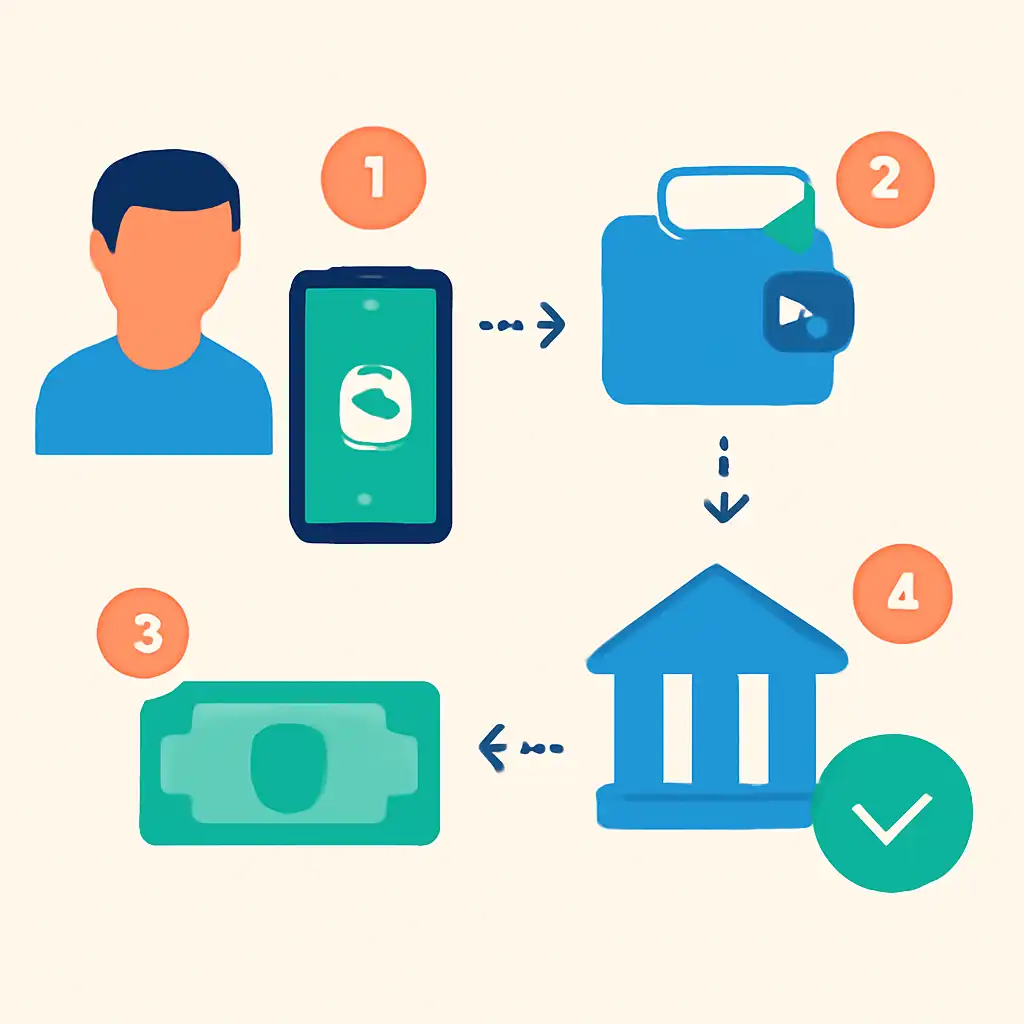
When you tap "Approve" in your UPI app, here is what happens in under two seconds: your UPI app sends an encrypted push to your bank's UPI server → your bank authenticates your PIN using a hardware security module → the debit instruction is relayed to NPCI's central switch → NPCI credits the merchant's acquiring bank → the payment gateway notifies khanaparateer.in.net → your wallet balance is updated. The entire chain runs over NPCI's secure 256-bit TLS infrastructure. No third party sees your PIN at any point.
UPI Deposits for New Players
If you are new to Khanapara Teer and have never deposited online, here is a detailed walkthrough to get you from zero balance to placing your first number before the evening results are declared.
Step 1, Create and Verify Your Account
Register on khanaparateer.in.net using your active Indian mobile number. An OTP is sent via SMS for phone verification. For basic play (monthly deposits under ₹10,000), this is sufficient. If your intended monthly deposit or withdrawal volume exceeds ₹10,000, complete the one-time KYC step: upload a clear photo of your Aadhaar card (front and back) or PAN card. KYC review typically takes 30 to 60 minutes during business hours. Do not wait until the last minute before a cut-off to start KYC, do it well in advance.
Step 2, Set Up a UPI App If You Haven't Already
If you do not yet use any UPI app, here is how to get started with PhonePe (most popular in Northeast India) or BHIM (simplest to set up):
- Download from the official Google Play Store or Apple App Store, never from third-party APK sources.
- Open the app and enter your mobile number. It must be the same number linked to your bank account.
- The app auto-detects your bank via SMS verification (you will see a list of banks, select yours).
- Enter your debit card's last 6 digits and expiry date to authenticate bank account linking.
- Set a 4- or 6-digit UPI PIN of your choice. This PIN authorises every payment, treat it like your ATM PIN.
The setup takes approximately 5 to 7 minutes. Once done, your UPI VPA is usually in the format mobilenumber@bankhandle (e.g., 9876543210@ybl for PhonePe, 9876543210@oksbi for SBI via Google Pay).
Step 3, Navigate to the Deposit Section
Log in to your Khanapara Teer account → tap the wallet icon at the top right corner, or navigate via the hamburger menu to My Account → Add Funds. On the deposit screen, you will see all available methods listed. Select UPI. The page will display a QR code and a manual VPA entry field, use whichever is more convenient for your app.
Step 4, Choose Your First Deposit Amount
New players often start with ₹100 to ₹200 to understand how the platform works before committing larger amounts. Consider how many numbers you intend to play:
- A single-number bet (0 to 99) typically starts at ₹1 per number.
- Playing 5 different numbers at ₹10 each costs ₹50.
- House (first digit) and Ending (last digit) bets each cost ₹10 to ₹50 per digit depending on your chosen stake.
Deposit an amount that covers your planned bets plus a small buffer so you are not scrambling for a top-up close to the cut-off.
Step 5, Complete the Transaction
- Enter your UPI ID in the field provided, or open your UPI app's QR scanner and scan the on-screen code.
- In your UPI app, confirm the merchant name and amount displayed before entering your PIN.
- Approve the payment request within 5 minutes: requests expire after that window as an NPCI security rule.
- A success confirmation screen appears on the site with a transaction reference number (TRN). Save this number, take a screenshot or write it down, in case you need to raise a support query.
- Your wallet balance updates immediately on the same screen. Refresh the My Account page if it does not reflect within 90 seconds.
First-Deposit Checklist for New Players
| Item | Status to Confirm Before Depositing |
|---|---|
| Bank account linked to UPI app | Active and UPI PIN set |
| Mobile number on bank account | Must match the number registered on the site |
| Sufficient bank balance | Deposit amount (UPI has zero transaction fee) |
| KYC on site | Required only if monthly volume exceeds ₹10,000 |
| Stable internet connection | Prevents mid-transaction drop and double-debit risk |
| UPI daily limit not exhausted | NPCI cap is ₹1,00,000/day; app-level limits may be lower |
Common First-Timer Mistakes and How to Avoid Them
- Typing the UPI ID incorrectly: always copy-paste the VPA from the site rather than typing manually. A single wrong character routes the transfer to a different VPA.
- Using Paytm wallet balance instead of UPI: Paytm has both a prepaid wallet and a UPI bank link. For site deposits, use the UPI bank link option so funds come from your actual bank account and credit without delay.
- Depositing from a number not registered on site: use your registered mobile number's linked UPI ID. Mismatched numbers trigger an automatic hold for fraud review.
- Not checking the cut-off time: new players often deposit and then discover the betting window for that round has closed. Check the live countdown timer on the homepage before you start the deposit flow.
UPI Deposits Safety and Timing
Is It Safe to Deposit via UPI on Khanapara Teer?
Yes, when done correctly. UPI transactions are end-to-end authenticated by NPCI. The merchant (khanaparateer.in.net) never receives your UPI PIN or bank login credentials. Every transaction generates a UPI Transaction Reference Number (UTR), a 12-digit identifier logged by your bank, NPCI, and the payment gateway simultaneously, giving you a fully verifiable paper trail that can be used in any bank dispute or NPCI grievance.
Seven Safety Rules for UPI Deposits
- Never share your UPI PIN: no Khanapara Teer support agent, no NPCI representative, no bank employee will ever ask for your UPI PIN. Anyone who does is a fraudster.
- Verify the site URL before every session: always confirm you are on
khanaparateer.in.net(not a lookalike with an extra letter or different TLD). Phishing clones steal deposit payments by swapping the merchant VPA. - Do not approve unsolicited collect requests: a legitimate deposit on this site requires you to initiate the request. If a collect request arrives on your UPI app without you starting a deposit, reject it immediately and report it to your bank.
- Enable UPI app lock: set fingerprint, face ID, or a separate app PIN on PhonePe, GPay, or BHIM so no one else can approve payments from an unlocked phone.
- Check the payee VPA and merchant name: before entering your UPI PIN, your app displays the payee's registered name. Confirm it matches Khanapara Teer's registered merchant details shown on the deposit confirmation screen.
- Use mobile data over public Wi-Fi for payments: open public Wi-Fi hotspots (railway stations, cafes) carry a risk of man-in-the-middle interception. Complete your deposit over 4G/5G mobile data for better security.
- Log out of the site after depositing on shared devices: if you access khanaparateer.in.net from a shared phone or computer, always log out after placing bets and never save your password in the browser.
Deposit Timing, When to Deposit for Same-Session Play
Khanapara Teer results are declared in two rounds every weekday (Monday to Saturday). Knowing the cut-off times prevents missed rounds even after a successful deposit:
| Round | Betting Cut-Off | Result Time (approx.) | Recommended Deposit By |
|---|---|---|---|
| First Round | 3:45 PM IST | ~4:00 PM IST | 3:30 PM IST (15-min buffer) |
| Second Round | 4:45 PM IST | ~5:00 PM IST | 4:30 PM IST (15-min buffer) |
While UPI credits typically arrive in under 60 seconds, bank-side processing delays of 5 to 10 minutes do occur, especially during peak payment hours (12 PM to 2 PM lunch surge and 5 PM to 7 PM evening surge). HDFC, ICICI, and Axis Bank UPI transactions generally settle the fastest; some smaller co-operative bank or rural bank accounts can lag by 10 to 15 minutes during peak load. Depositing at least 15 minutes before the cut-off gives you a safe margin to confirm your balance, select your numbers, and submit your bet ticket without rushing.
If you regularly play both rounds, consider keeping a standing wallet balance, deposit a week's worth of betting money in one go rather than depositing daily just before cut-off. This eliminates timing risk entirely.
What Happens If the Debit Shows But Wallet Doesn't Credit?
This situation, known as a "payment in transit" or "deemed debit", is rare but solvable without losing money. Here is the exact resolution path:
- Wait 10 minutes first. NPCI's auto-reconciliation mechanism resolves most pending transactions within 10 minutes. Do not raise a panic query immediately.
- Note the 12-digit UTR from your UPI app's transaction history (PhonePe: History tab → tap transaction → see UPI Ref No.; GPay: tap the transaction → scroll to "UPI transaction ID").
- Check the site's Deposit History: go to My Account → Deposit History. If the status shows Pending, the payment gateway has not yet received confirmation. Status Failed means the transaction was reversed and your bank will auto-refund within 3 to 5 business days per NPCI mandate.
- Contact support after 20 minutes if the status is still Pending. Provide: your registered mobile number, the UTR, the exact amount, and the time of transfer. The support team cross-references with the payment gateway logs and credits your wallet manually if the bank confirms the debit, typically within 2 to 4 hours on weekdays.
Under NPCI's dispute resolution rules, any failed UPI transaction that resulted in a bank debit must be auto-reversed within T+1 business day. If you do not receive your refund within this window, file a complaint at the NPCI BBPS portal or your bank's UPI grievance desk, both have statutory resolution timelines.